GitHub Push Attribution: Who Authored, Pushed, Reviewed, and Merged?
GitHub now records the authenticated pusher. Learn how author, committer, pusher, PR publisher, approver, and merger answer different audit questions.
By Ahmad Hajjar
GitHub added durable pusher identity on October 12, 2026. The limited public preview gives enterprise teams an authenticated answer to a question that commit metadata could not settle: who actually pushed this commit to the repository?
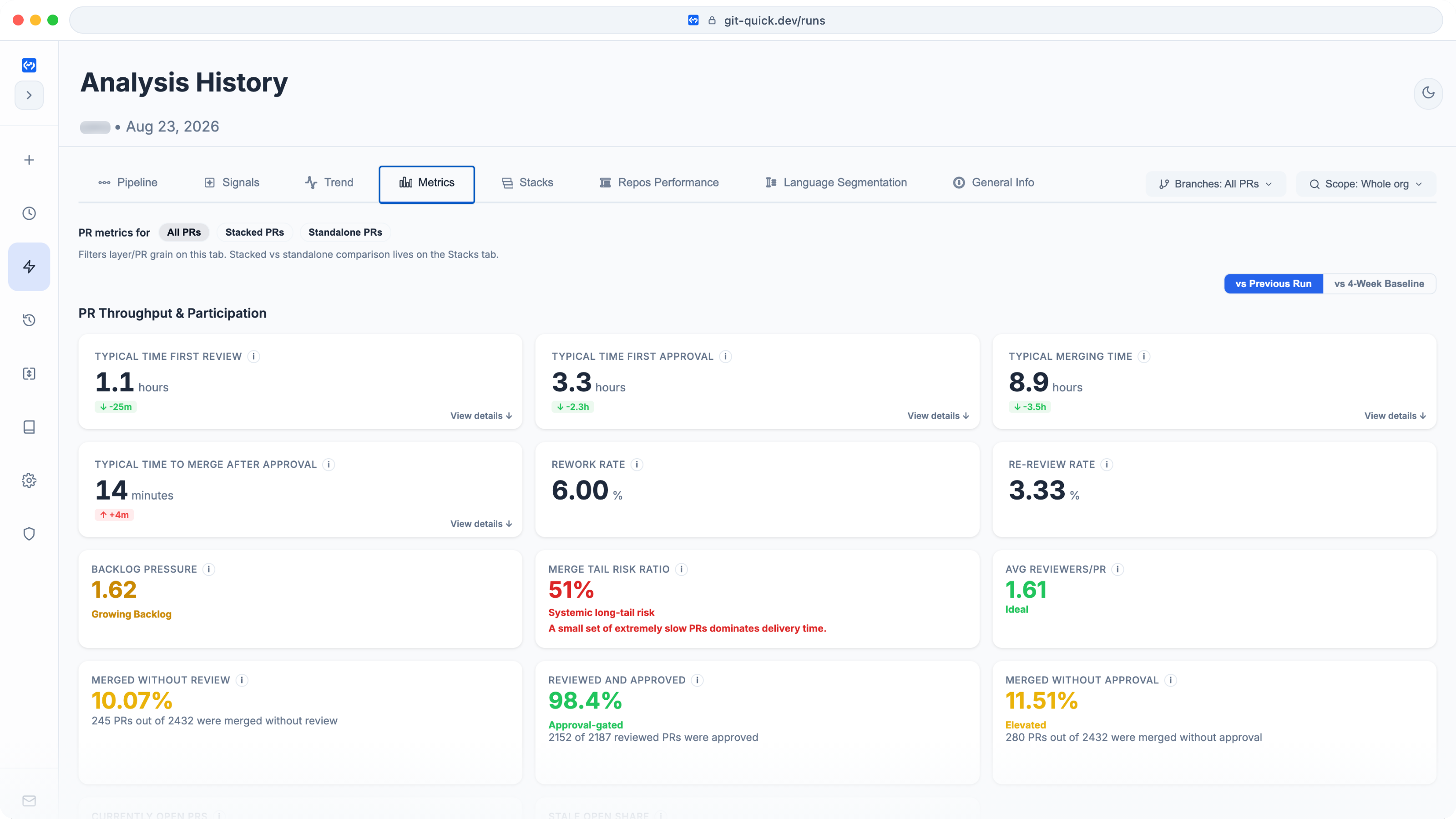
The GitQuick Metrics view separates workflow stages and reviewer load. This August 23, 2026 product screenshot is illustrative and does not contain the October showcase figures below.
The distinction matters because author, committer, pusher, pull request publisher, approver, and merger describe different actions. Treating them as one identity produces weak audits and misleading ownership metrics.
What GitHub shipped on October 12
GitHub's announcement says the platform now records the authenticated user who pushed each commit. GitHub surfaces that identity in the interface and API alongside the author and committer fields.
GitHub was direct about the limitation of the older fields: "Commit author and committer fields are just strings that the pushing client supplies." Those strings are useful attribution metadata, but they are not proof of who authenticated the network operation.
The release also adds a Committer must match pusher repository rule. It can block a push when the committer metadata does not match a verified email address for the authenticated pusher. GitHub says this "closes a path for commit identity spoofing."
The feature is a limited public preview for GitHub Enterprise customers. It is not universal.
Author, committer, and pusher are different
Git itself has long separated authorship from committing. The Git user manual defines the author as the person responsible for the change and the committer as the person who created the commit. A maintainer applying another contributor's patch is a common case where they differ.
The pusher is different again. It is the authenticated account that sent the commit to GitHub. GitHub's Actions documentation already makes this distinction: the interface's "pushed by" field shows the pusher, "not the author or committer."
| Identity | What it records | Useful question |
|---|---|---|
| Author | The name and email credited with the original work | Who wrote the change? |
| Committer | The name and email credited with creating or applying the commit | Who formed this commit object? |
| Pusher | The authenticated GitHub account that submitted the commit | Which account delivered it to GitHub? |
| PR publisher | The account that opened the pull request | Who proposed this PR for review? |
| Approver | An account that submitted an approving review before merge | Who recorded approval? |
| Merger | The account recorded as merging the pull request | Who completed the merge action? |
These identities may represent a contributor, maintainer, bot, GitHub App, service account, or automation chain.
Why the distinction changes an audit
A code ownership question should start with the event being investigated.
If the concern is forged commit metadata, inspect the authenticated pusher and any matching rule. If the concern is review accountability, inspect approvals. If a pull request stayed approved but unmerged, inspect the merger role and post-approval process. If automation opened the PR, the publisher may be more informative than the first commit author.
Raw contribution counts can therefore mislead. A coding agent may create the first commit, a service account may open the pull request, a maintainer may approve it, and a merge queue may land it.
Push attribution improves the security audit trail. It does not replace review evidence. An authenticated pusher proves which account pushed. It does not prove who wrote every line, whether the review was sufficient, or whether the change was safe.
What the GitQuick role data shows
GitQuick currently measures four pull request lifecycle roles: initiator from the first commit author login, publisher from the PR author, approver from recorded approvals before merge, and merger from the merge actor. GitQuick does not currently expose GitHub's new authenticated pusher identity. The terms must not be treated as equivalents.
The public Showcase listed 21 organizations when this article was drafted on October 23, 2026. The GitHub organization snapshot covers public PRs created from September 17 through October 17. Its role-load endpoint was complete, not degraded.
| GitQuick role | Recorded role credits | Classified as bot | Largest recorded account share |
|---|---|---|---|
| Initiator | 4,780 | 1,426 (29.8%) | 910 (19.0%) |
| Publisher | 5,140 | 2,633 (51.2%) | 904 (17.6%) |
| Approver | 1,079 | 237 (22.0%) | 236 (21.9%) |
| Merger | 3,115 | 365 (11.7%) | 1,004 (32.2%) |
A role credit counts a PR once for each recorded login in that role. Initiator, publisher, and merger normally have one eligible login per PR. Approver can credit multiple logins on the same PR. Missing logins are excluded. Bot classification uses login heuristics, so it can misclassify human-operated automation or unusually named accounts.
The table is not a funnel. The rows have different eligibility rules, and one PR can credit several approvers. It does not show pusher identity. It shows only that responsibility and concentration can change by stage.
A practical identity audit
Start with four checks.
- Name the event. Decide whether the question concerns authorship, commit creation, authenticated push, PR publication, approval, or merge.
- Keep automation visible. Separate bots and service accounts from humans, but document human-operated automation rather than forcing a binary label.
- Match controls to risk. Use push identity rules for spoofing risk. Use review requirements for approval policy. Use merge controls for protected-branch completion.
- Measure each stage independently. Track who initiates, publishes, approves, and merges. Concentration in one stage does not prove concentration in another.
GitQuick's role-load views help teams inspect these pull request roles and drill into the PRs credited to each account. The new GitHub pusher field adds a separate security identity that teams should preserve alongside those workflow measures.
Takeaway
GitHub push attribution closes an important gap between supplied commit metadata and the account that actually authenticated the push. It also makes a broader point visible: software delivery has multiple identities, not one owner field.
Use author and committer for commit history. Use pusher for authenticated delivery. Use publisher, approver, and merger for pull request workflow accountability. Then apply controls and metrics to the action you are actually trying to understand.
For the timing side of the same workflow, read Your Cycle Time Is One Number. Your PR Pipeline Has Four Stages.. For workload risk, see Copilot Can Now Hold the Merge Gate. Review Load Shows Whether You Need It..
Explore the GitHub public Showcase, compare all public organizations, or try GitQuick on your organization.
Disclaimer: This analysis uses public GitHub metadata. The GitHub Showcase snapshot covers September 17 to October 17, 2026, and was fetched on October 23, 2026. Role credits have different eligibility rules and are not funnel stages. Login-based bot classification can misclassify accounts. Public metadata cannot prove code authorship, code quality, security, employment, intent, or causality. GitQuick does not currently expose GitHub's new authenticated pusher identity and is not affiliated with or endorsed by GitHub or any organization mentioned.